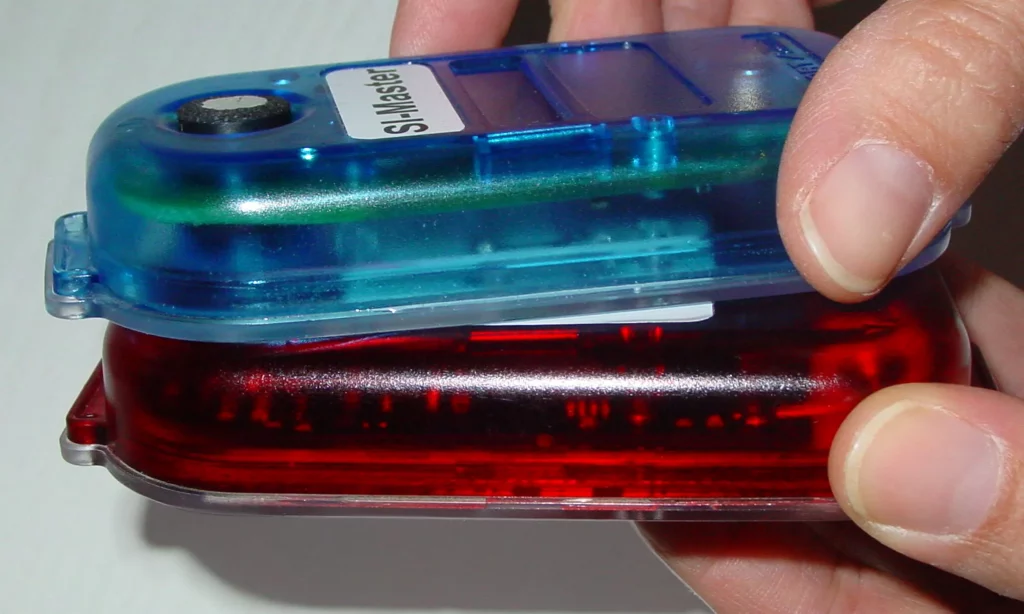
Directly before every event the controls used for the start procedure and finish need to have the backup data cleared and time synchronised. This is vital to ensure accurate course timing and to make it easy for download to account for the number of people still out on the course.
This should be done for every control in the small box of start/clear/check, including the ‘radio’ finish control that is usually kept by download. Do all controls in case someone needs to get an extra one later in the case of a failure.
Clearing data and Synchronising time
Equipment needed
- Box of Start, Clear, … and Check SI units.
- Small box with Service (purple) dibbers, ferrite rod (grey hexagonal stick), a normal dibber (any version).
- The ‘radio’ Finish control(s) – usually with download (Robin).
Procedure
- Turn on all controls by punching with a standard dibber, they might not beep, but the LCD should come on (see reverse of standard red units). Do not use one of the purple service keys for this, controls activated this way turn off after 5 mins.
- Locate a SI-Master control (blue) and the Service / Off purple dibber.
- Confirm the Master time is reasonably correct via the LCD
- Dib the master control (twice) with the Service dibber to cycle through to the Extended Master mode, the LCD will display EXT MA.
- Insert the ferrite rod into the master control
- For every other control place it onto the other end of the ferrite rod until it beeps, this can take some wiggling for controls where the rod can’t be inserted completely through.
- Quickly confirm via the LCDs that all controls show the same time, the displays cycle through a series of information.
- Use the Service / Off dibber to turn off unused controls. Return those to the box and leave box in a known location. Distribute others to start and finish teams for deployment.